STOP PLAYING STARTUP
START FINISHING
Build a Real Business
That Makes Money
Without Burning Through Your Life Savings
or Losing Your Mind
The No-B.S. Field Manual That Cuts Through Silicon Valley Hype, Startup Theater, and All the Other Crap That Keeps Founders Stuck
About this book
While everyone else is chasing unicorn valuations and playing "startup theater," some founders are going in the opposite direction.
They are building real businesses that generate actual revenue and don’t require 80-hour weeks to survive.
They aren’t "growth hacking." They aren’t pivoting every Tuesday. They are finishing.
I’ve spent 30 years building products, leading teams, and fixing broken businesses in MedTech, AI, and early internet infrastructure. I’ve seen the difference between the founders who burn out and the founders who finish.
It comes down to one thing: Rejecting the fantasy.
This book is the antidote to the Silicon Valley hype that keeps founders stuck.

a way to build your startup
(That Actually Works)
1. You Will Become a Business Finisher
Tired of being the founder who starts companies but somehow never crosses the finish line? This book will transform how you approach building. You'll develop the rare and magical ability to see projects through to completion—whether that's profitability, acquisition, or sustainable operation. You become the entrepreneur others come to when they need to know how to actually finish what they started, instead of endlessly "optimizing" their way to nowhere.


2. You Will Become a Revenue Generator
Done burning through cash and living pitch-to-pitch like some kind of startup nomad? This book will rewire your brain to think about making money from day one (wild concept, right?). You'll stop chasing vanity metrics that look impressive on slides but pay exactly zero bills, and start building businesses that generate real, predictable revenue. You become the founder who talks numbers, not just vision—and investors will actually want to write you checks instead of politely ghosting you.
3. You Will Become a System Builder
Exhausted from being the bottleneck in your own company, working 80-hour weeks because apparently you're the only person who can send an email correctly? This book will teach you to build businesses that operate without your constant helicopter parenting. You'll create systems and hire people who make smart decisions when you're not hovering over their shoulder. You become the entrepreneur who builds actual companies, not just expensive jobs for yourself with terrible work-life balance.


WHY I WROTE THIS BOOK
I've watched too many brilliant people destroy themselves chasing Silicon Valley fairy tales.
Over three decades, I've built companies in surgical robotics, climate tech, and half a dozen other industries. I've raised capital. I've bootstrapped. I've been brought into companies after they imploded to help pick up the pieces.
The pattern never changes. Founders start with fire in their eyes and revolutionary ideas. They believe their own pitch decks. They chase unicorn valuations instead of building actual businesses. Then reality hits. The money runs out. The team fractures. The dream dies.
But here's what broke my heart: these weren't bad entrepreneurs. They were smart, dedicated people who got seduced by startup theater. They spent years performing the role of "founder" instead of building something real. They optimized for funding rounds instead of customers. They measured vanity metrics instead of revenue.
I remember sitting across from a founder who'd just lost his third company. He looked at me and said, "I don't understand. I did everything the blogs told me to do." That's when I realized the problem. Everyone's teaching people how to start. No one's teaching them how to finish.
Most startup advice comes from people who've never actually built a sustainable business. They regurgitate frameworks from business school or copy what worked for someone else in a completely different industry. It's all theory and no scars.
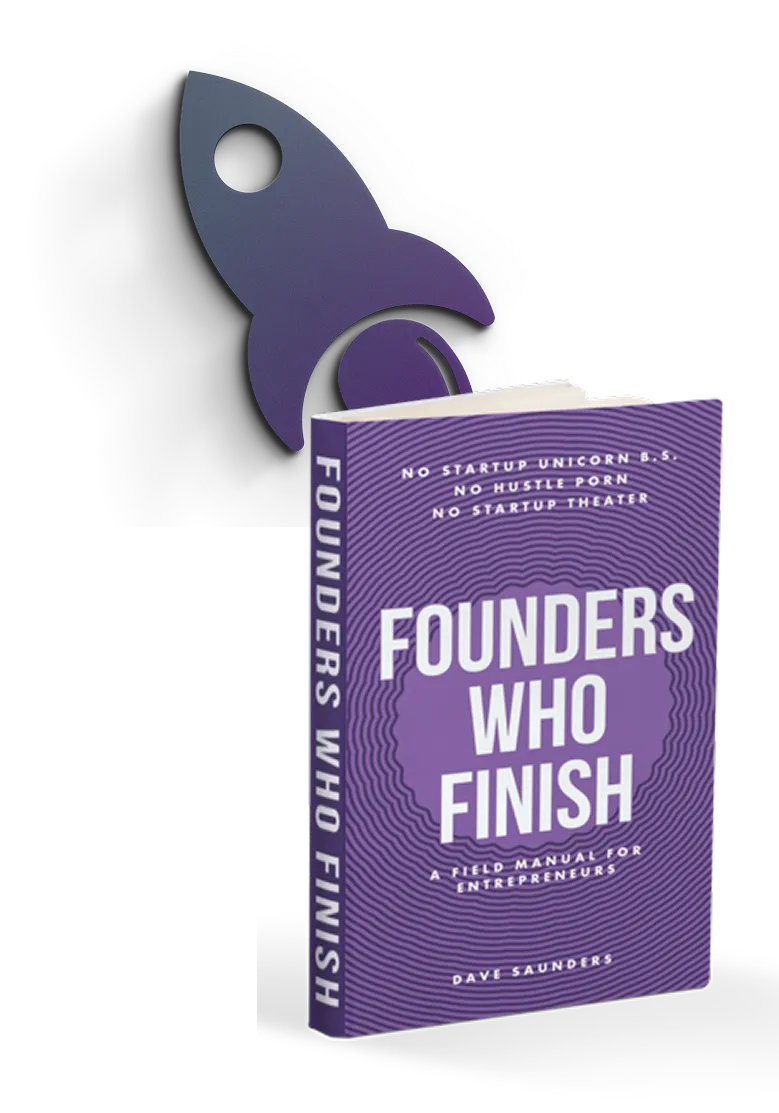
I wrote "Founders Who Finish" because you deserve better than startup theater. You deserve a field manual written by someone who's been in the trenches, made every mistake, and figured out how to build companies that actually work.
This isn't about becoming the next unicorn. It's about finishing what you started. Building something that generates revenue. Creating a business that doesn't need you to babysit it 24/7. Making your idea real instead of just another failed startup story.
You started this journey to change something. Let's make sure you finish it.
Why I'm Giving The Book Away at Cost...
(And no, it's not a gimmick.)
I am selling each book at the cost of printing, fulfillment, and shipping, and not a penny more.
Why am I doing this?
Because I'm starting a movement.
But really, there are three reasons I'm doing this.
First, I spent over three decades building real companies, walking away from broken ones, and learning what actually works versus what's just startup theater. I did this by getting my hands dirty in everything from surgical robotics to climate tech, watching founders burn out, and figuring out why some finish while others drift into exhaustion.
I'm doing this because when I scroll through founder forums, I see too many people who started with incredible intentions but are now completely worn out, stuck in endless cycles of "almost there." I've already walked through that fire for you. I'd rather you learn how to actually finish without burning yourself out, and build the company you're meant to create.
I'm doing this because I've experienced what it's like to finish strong, and I know how many founders are struggling alone right now. My only regret is that I didn't have this roadmap when I was grinding through those dark 3AM moments.
The second reason I'm selling this book at cost is because I know by helping you finish what you started, you'll become part of a community of founders who actually complete what they build!
And the third reason is that I know by transforming how you build, you may become interested in other things I share that will help you finish even stronger!
My goal is simple: to get this book into as many hands as possible—especially those founders who are ready to stop the endless hustle and start building something real.
That's all.
I know Founders Who Finish will change your approach to building, and I can't wait for you to read it!

Frequently Asked
Questions
How long will it take for the book to arrive?
Your book will be packaged up beautifully, and sent from Taylor, Michigan, USA.
For U.S. customers, you can expect the book to arrive in 7-15 business days (could be a lot sooner).
For International, you can expect the book to arrive in 10-22 business days (could be a lot sooner).
You will receive a tracking number via email immediately after your order.
If you have any questions, don't hesitate to contact support (listed at the footer of this page).
Do you offer refunds?
Yes. We believe in this book so much that if you're unsatisfied (for any reason), you can send the book back within one-year, and get a 100% refund. No questions asked. Just contact me via the support details at the footer of this page. I'll share the return address, and refund every penny.
If you're not happy, we're not happy!
Is this just another "hustle harder" book in disguise?
Absolutely not. If anything, this book will help you hustle smarter, not harder. I'm actively trying to save you from 3 AM "grind sessions" that accomplish nothing except making you hate your laptop.
Will this work if I've already read 47 other business books?
Especially if you've read 47 other business books. Consider this your recovery program from business book addiction. Less theory, more "here's what actually happened when I tried this stuff."
Do I need to be a tech founder for this to apply?
Nope. Whether you're building software, selling widgets, or planning to disrupt the paper clip industry, the principles are the same: stop stalling, start finishing.
What if I'm currently stuck in startup theater and don't want to admit it?
The first step is admitting you have a problem. The second step is reading this book. The third step is actually finishing something for once.
Is there a secret handshake for founders who finish?
Yes, but it's just a regular handshake. The secret part is that you actually show up to shake hands instead of "pivoting" to a fist bump at the last second.
Will this help me get on TechCrunch?
This book will help you care less about getting on TechCrunch and more about getting customers who pay you money. Revolutionary concept, I know.
Why is the cover purple?
Because after 30 years of building companies, I've earned the right to pick whatever color I want for my book cover, and I like purple. Sometimes the best business decisions are the ones that don't need a PowerPoint presentation to justify.
ABOUT THE AUTHOR
Meet The Person Helping Founders Stop Stalling and Start Finishing...
I've spent over 30 years in the trenches of building real companies—from surgical robotics to climate tech, from early internet startups to Fortune 50 acquisitions. I've been a CTO, CPO, co-founder, and the guy who walks into broken companies and either fixes them or walks away.
Unlike the typical Silicon Valley success story, my path has been about substance over hype. I've lived through the dot-com boom, survived venture capital nightmares, and learned what actually separates founders who finish from those who stall out in startup theater.
After watching too many capable entrepreneurs burn themselves out chasing unicorn fantasies, I decided to share what I've learned the hard way. I've mentored hundreds of founders, helped companies navigate everything from patent appeals to hostile takeovers, and built businesses that work without requiring their founders to sacrifice their sanity.
When I'm not helping founders get unstuck, I can be found with my family, wondering why it took me three decades to figure out that the best businesses are the ones that don't need me to work 80-hour weeks to survive.
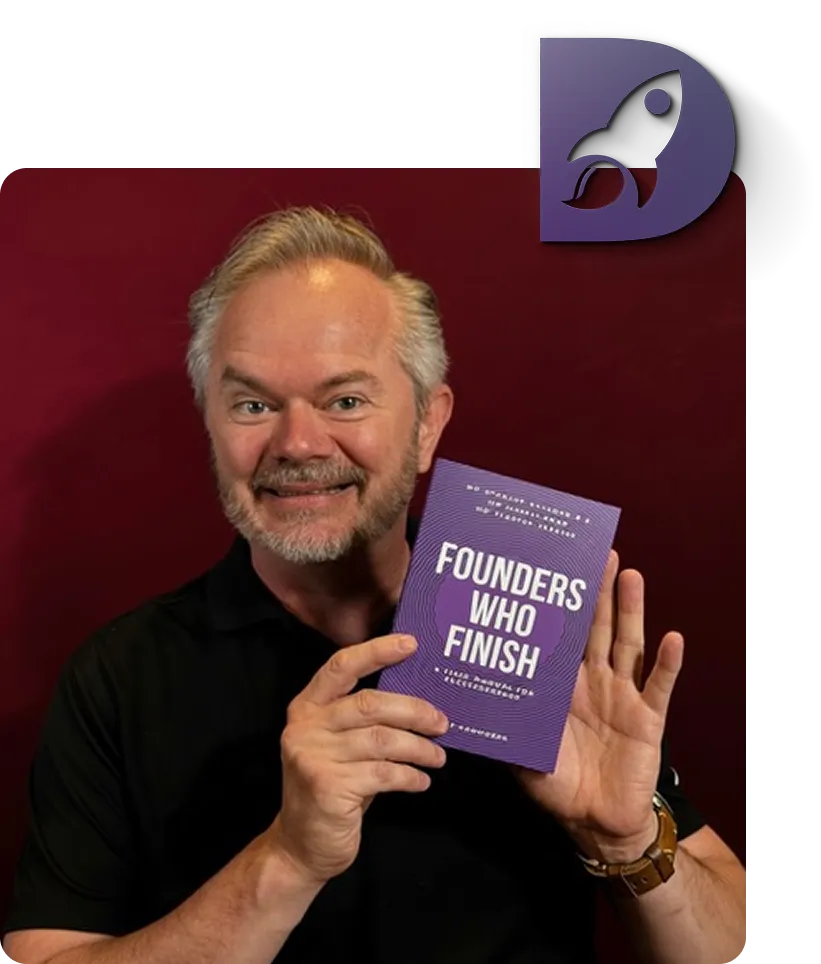

I am so confident my book will help you stop stalling and start finishing that - if you're unsatisfied (for whatever reason) - you can send the book back within one year and receive a 100% refund.
No questions asked!
Just contact me via the support details at the bottom of this page. You will be given a return address to send the book back to. I will personally see to it that you are refunded every penny - both the cost of the book and the shipping cost.
How's that for fair?
My mission is to serve founders, builders and entrepreneurs who are committed to finishing, growing and succeeding.
CONTACT
+1 (202) 656 7370
30 N Gould St Ste R,
Sheridan, WY 82801
Mon. - Fri. 10 a.m. - 6 p.m. ET
SOCIAL MEDIA


